✓ Free Trial · No Card Required

The Gold Standard in IPTV Streaming

Our platform puts sports, kids' shows, movies and 40,000+ live channels in one place — clean interface, near-zero buffering, and every screen you own covered by a single account.

40K+
Live Channels
4.9★
User Rating
60K+
Active Viewers
24/7
Support
IMZD Player
⚽
Sports HD
🧸
Kids Zone
🎬
Movies 4K
📰
News Live
🏀
NBA Feed
🎵
Music TV
LIVE
Now Playing — Champions League Final
Sports HD · 4K Ultra Clear

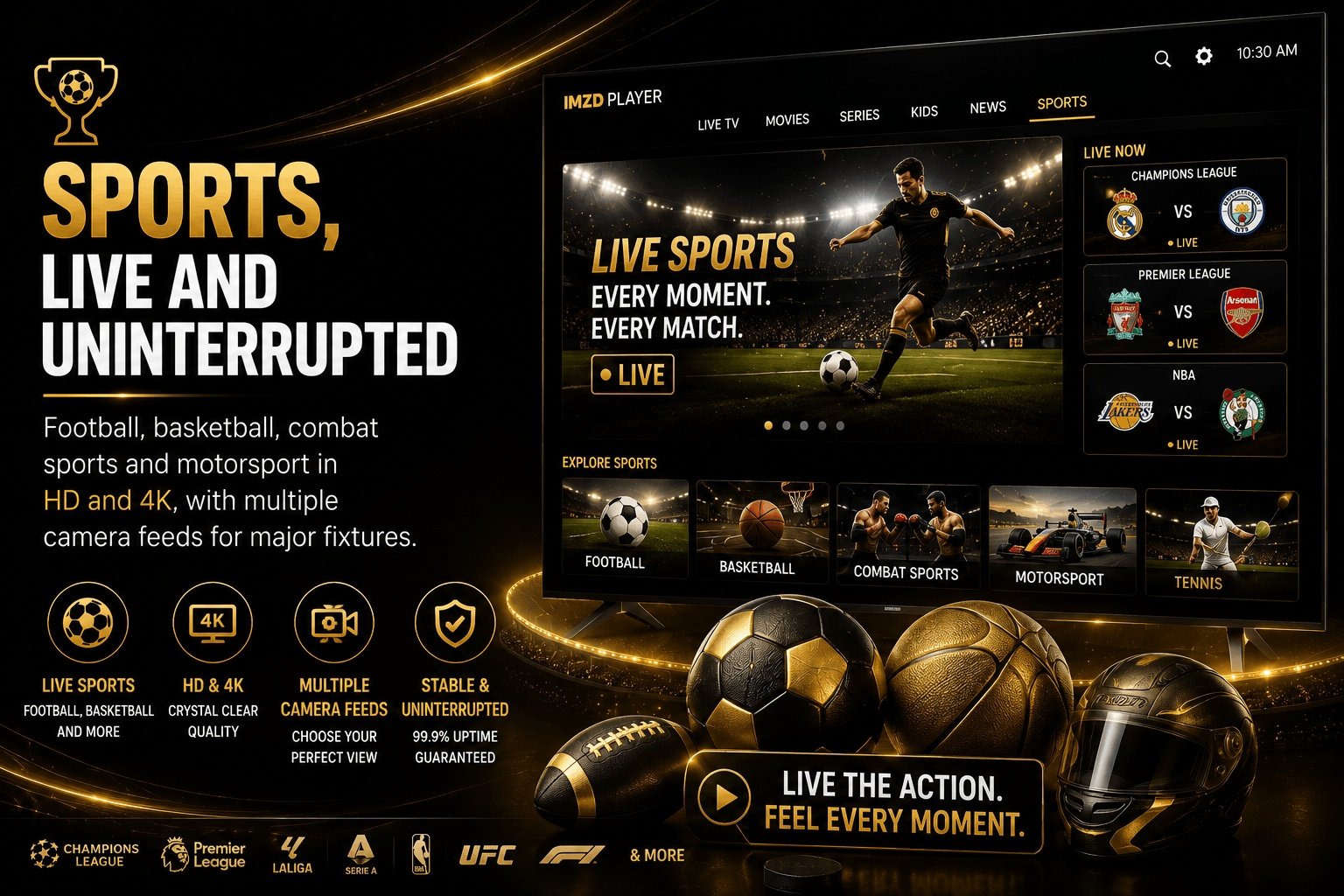
IMZD Player is an IPTV streaming app with 40,000+ live channels, full sports coverage, a dedicated kids' library and thousands of on-demand movies and series, available in HD and 4K on Android, iOS, Windows, Mac, Firestick and Smart TVs. Plans start at $34.99, and a free trial is available before you buy.

40,000+ Channels Live on IMZD Player

Sports, Kids, Movies & Live TV in One App

The platform is built around four content pillars, so everyone in the house finds something to watch.

⚽

Sports

Live, every league

🧸

Kids Zone

Safe & age-appropriate

🎬

Movies & Series

On-demand library

📺

Live TV & News

40,000+ channels

Sports

Start Streaming in 3 Steps

Getting set up takes less than two minutes and no technical background.

1

Request Your Free Trial

Get instant test credentials from the trial page — no card, no commitment.

2

Install the App

Download the app for Android, iOS, Windows, Mac, Firestick or your Smart TV in a couple of taps.

3

Pick a Plan & Watch

Love the trial? Choose a subscription plan and keep streaming without limits.

Built for a Premium Streaming Experience

Engineered for stability and picture quality, not just channel count.

⚡

Ultra-Fast HD & 4K

Premium CDN routing keeps streams smooth even during peak sports fixtures, with almost zero buffering.

📺

40,000+ Live Channels

Sports, news, kids' TV, movies and international channels from every major region, updated continuously.

📅

Catch-Up TV & EPG

A built-in 7-day guide and catch-up TV mean missing a show is never the end of it.

🔒

Parental Controls

Lock adult content and set up a safe Kids Zone profile so children only see age-appropriate shows.

📱

Multi-Device Support

Stream on multiple devices at once depending on your plan — Android, iOS, Firestick, Smart TV and PC.

💬

24/7 Live Support

Real people, not bots — live chat and ticket support to get you streaming again in minutes.

Works on Every Screen

One account, every device — at home or on the move.

🤖

Android

Phones, tablets & Android TV boxes

Apple iOS

iPhone, iPad and Apple TV

💻

Windows & Mac

Any PC or MacBook via browser or app

📺

Smart TV

Samsung, LG, Sony and Firestick

Choose Your Plan

Four straightforward plans — upgrade, downgrade or cancel any time. Full details on the subscription page.

Silver
$34.99
/ 3 months
1 connection · HD & 4K
  • 40,000+ Live Channels
  • 4K Ultra HD Quality
  • 1 Simultaneous Connection
  • 150,000+ VOD Library
  • 14-Day EPG TV Guide
  • 30-Day Catch-Up TV
  • All Major Devices
  • All Sports PPV Events
  • Advanced Parental Controls
  • Standard Support
⚡ Instant Activation
🛡 Secure Payment
💬 24/7 Support
Gold
$51.99
/ 6 months
1 connection · HD & 4K
  • 40,000+ Live Channels
  • 4K Ultra HD Quality
  • 1 Simultaneous Connection
  • 150,000+ VOD Library
  • 14-Day EPG TV Guide
  • 30-Day Catch-Up TV
  • All Major Devices
  • All Sports PPV Events
  • Advanced Parental Controls
  • Priority Support
⚡ Instant Activation
🛡 Secure Payment
💬 24/7 Support
Platinum
$69.99
/ 12 months
1 connection · HD & 4K
  • 40,000+ Live Channels
  • 4K Ultra HD Quality
  • 1 Simultaneous Connection
  • 150,000+ VOD Library
  • 14-Day EPG TV Guide
  • 30-Day Catch-Up TV
  • All Major Devices
  • All Sports PPV Events
  • Advanced Parental Controls
  • Priority Support
⚡ Instant Activation
🛡 Secure Payment
💬 24/7 Support
🏪 Reseller Program

Sell IMZD Player & Build Your Own IPTV Business

Buy wholesale credits, build your own brand panel, and resell Silver, Gold, Platinum and Diamond plans to your customers at your own price.
✓ Wholesale pricing, no minimum order
✓ Dedicated reseller dashboard & API
✓ Instant activation for your customers
✓ Priority reseller support line
▶ Become a Reseller
Reseller Program

What Users Say About IMZD Player

Over 60,000 households stream with us every day. Here's what a few of them say.

★★★★★

"The kids' channels alone made it worth switching. My son can pick his own cartoons now, and I finally get to watch football on Saturday evenings."

DL
David L.
Family viewer · USA
★★★★★

"I started as a reseller, bought a small credit pack to test it out, and recovered my cost in the first month. The dashboard is surprisingly easy to use."

RH
Rana H.
Reseller · UK
★★★★★

"The whole family uses it on different devices — Champions League without buffering on my end. Worth every penny of the Diamond plan."

KM
Karim M.
Sports fan · Canada

Frequently Asked Questions

Everything you need to know before you start streaming.

What is IMZD Player? −
IMZD Player is an IPTV streaming app giving you 40,000+ live channels, sports, kids' shows, movies and series in HD and 4K on any device.
How much does IMZD Player cost? +
Plans start at $34.99 for Silver and go up to $99.99 for Diamond. New customers can use code IMZD15 for 15% off.
Does IMZD Player have kids and sports channels? +
Yes. A dedicated kids' library with cartoons and family shows, plus full sports coverage across football, basketball, combat sports and motorsport.
Is there a reseller program? +
Yes. Wholesale credit pricing, a reseller dashboard and dedicated support. Details are on the reseller page.
Can I try before I pay? +
Yes. A free trial is offered so you can test channel quality, kids' content and sports streams on your own device first.
What is the refund policy? +
Refund eligibility and timeframes are outlined on the refund policy page — review it before purchasing if refund terms are a deciding factor.
→ View All FAQ Answers

Learn More About IPTV & Streaming

External resources to help you get the best IMZD Player experience.

Wikipedia

What Is IPTV?

Background on how Internet Protocol Television delivers channels over a standard internet connection, not cable or satellite.

Read on Wikipedia ↗
Ookla Speedtest

Check Your Connection Speed

Before you try, run an independent instant speed test to confirm your connection can handle HD or 4K streaming.

Run Speed Test ↗
Common Sense Media

Age-Appropriate Kids Content

An independent guide to age ratings and reviews, useful alongside the Kids Zone parental controls.

Visit Common Sense Media ↗

Why IMZD Player Leads IPTV Streaming in 2027

Choosing an IPTV app usually means trading channel count for reliability. IMZD Player was built to remove that trade-off: a large, current channel list combined with a stable, fast-loading player that stays consistent during peak hours like weekend sports fixtures.

What sets the service apart is how deliberately it's organized around real households — a dedicated Kids Zone with parental controls sits alongside full sports coverage, movies, series and 40,000+ general live channels, so everyone gets a section built for them rather than one long undifferentiated list.

New users can test everything through the free trial before committing to a plan, and existing customers can review full pricing and features on the subscription page. If you're not ready to commit but want to explore setup first, the how it works guide covers installation on every major device.

For businesses and independent sellers, the reseller program offers wholesale credits and a dedicated dashboard, making it straightforward to build an IPTV business on top of the same infrastructure customers already rely on.

Questions about billing, setup or account access are answered on the FAQ page, and our team is reachable any time through Contact Us.

Ready to Try IMZD Player Today?

60,000+ viewers already streaming. Free trial, no card required, and 15% off with code IMZD15.

IMZD Player Subscription

Your IPTV subscription, built for every screen in the house

One IMZD Player IPTV subscription unlocks 40,000+ live channels, on-demand movies, catch-up TV and 4K playback — pick the plan that matches how many devices you actually use.

Instant delivery · Cancel or upgrade anytime · No contracts

One Subscription, Every Screen You Own

Your IMZD Player subscription isn't locked to a single device — switch between these anytime without changing plans.

📺

Smart TV

Install from your TV's app store and sign in

🔥

Fire TV & Android

Sideload the APK via Downloader app

📱

Phone & Tablet

iOS and Android apps on the App Store / Play Store

💻

PC & Mac

Desktop app or browser web player

Choose Your Subscription Plan

Four straightforward IPTV subscription plans — upgrade, downgrade or cancel any time.

Silver
$34.99
/ 3 months
  • 40,000+ Live Channels
  • 4K Ultra HD Quality
  • 1 Connection
  • 150,000+ VOD Library
  • 14-Day EPG
  • 30-Day Catch-Up
  • All Major Devices
  • All Sports PPV
  • Parental Controls
  • Standard Support
Get Started
Gold
$51.99
/ 6 months
  • 40,000+ Live Channels
  • 4K Ultra HD Quality
  • 1 Connection
  • 150,000+ VOD Library
  • 14-Day EPG
  • 30-Day Catch-Up
  • All Major Devices
  • All Sports PPV
  • Parental Controls
  • Priority Support
Get Started
Platinum
$69.99
/ 12 months
  • 40,000+ Live Channels
  • 4K Ultra HD Quality
  • 1 Connection
  • 150,000+ VOD Library
  • 14-Day EPG
  • 30-Day Catch-Up
  • All Major Devices
  • All Sports PPV
  • Parental Controls
  • Priority Support
Get Started

New here? Save on your first term.

Apply this code at checkout on any subscription plan.

IMZD10

Compare Every Plan

The full feature breakdown across Silver, Gold, Platinum and Diamond.

FeatureSilverGoldPlatinumDiamond
Term3 months6 months12 months24 months
Price$34.99$51.99$69.99$99.99
Simultaneous connections1112
HD & 4K streaming✓✓✓✓
40,000+ live channels✓✓✓✓
150,000+ VOD Library✓✓✓✓
14-Day EPG & Catch-Up✓✓✓✓
All Sports PPV Events✓✓✓✓
Parental Controls✓✓✓✓
Support levelStandardPriorityPriorityVIP
Best forSolo viewerCouplesSmall familiesLarge families

Every Subscription Includes

Regardless of plan, these come standard with every IMZD Player IPTV subscription.

📺

40,000+ Live Channels

Sports, news, movies and international channels from one login.

📱

Multi-Device Streaming

Firestick, smart TVs, Android, iOS, Windows and Mac all supported.

🎬

4K Ultra HD Quality

Auto-adjusting streams so playback stays smooth on any connection.

🧸

Kids Zone

A filtered channel and content section built for younger viewers.

💬

Ongoing Support

Setup help and troubleshooting from a team that knows the app.

🔄

Flexible Upgrades

Move up a tier any time your household needs more connections.

Subscribing Takes 3 Steps

From plan to first stream in minutes.

1

Choose Your Plan

Pick Silver, Gold, Platinum or Diamond above.

2

Complete Checkout

Secure payment, apply your promo code if you have one.

3

Start Streaming

Login credentials arrive instantly by email and WhatsApp.

IPTV Subscription FAQ

Still deciding? The most common questions before subscribing:

How do I activate my IPTV subscription? +
After checkout, your login credentials (username & password) are sent instantly by email and WhatsApp. Enter them into the IMZD Player app and you're streaming.
Which devices does IMZD Player support? +
Firestick, Android TV boxes, Samsung/LG/Sony Smart TVs, iOS (iPhone/iPad/Apple TV), Windows and Mac desktops are all supported from one account.
Can I upgrade my plan later? +
Yes. You can upgrade from Silver, Gold or Platinum to a higher tier at any time, and the remaining value of your current term is credited toward the new plan.
Is there a free trial before subscribing? +
Yes. We offer a 24-hour free trial with full access to all channels — no credit card required. Test channel quality on your own device first.
What if my subscription stops working? +
Contact our 24/7 support via WhatsApp or email. Most issues are resolved within minutes — we'll guide you through reactivation or troubleshooting.
What does "multiple connections" mean? +
It means how many devices can stream simultaneously on one account. Silver/Gold allow 1, Diamond allows 2 — enough for the whole household.

Choosing the Right IPTV Subscription

An IPTV subscription replaces a traditional cable box with an internet-delivered channel lineup, and the right plan usually comes down to how many people in the household stream at once rather than price alone. The IMZD Player subscription lineup covers that range with four tiers, from a single-screen Silver plan up to the multi-connection Diamond plan built for families.

If you're new to the service, start with the free trial to confirm channel quality and buffering performance on your own network before committing to a term. The how it works page walks through setup on Firestick, Android, smart TVs and desktop, so you know what to expect before your subscription activates.

Businesses reselling access under their own brand should look at the reseller program instead of a standard subscription, which is priced and structured differently for bulk accounts. For everyone else, the four subscription plans above cover casual viewers through multi-room households.

Before checkout, review the refund policy and terms & conditions so plan changes, renewals and cancellations are clear from day one. Questions that aren't covered in the FAQ can go straight to the support team.

Further reading:

IPTV Overview — Wikipedia ↗ Streaming Basics — FCC Consumer Guide ↗ What is 4K Resolution? ↗
⚡ Ready When You Are

Start Streaming Today

Pick a plan above, or test the waters first with a short free trial.

⚡ Choose Your Plan Try It First
IMZD Player Reseller Program

Become an IPTV Reseller and Sell Under Your Own Brand

Buy IPTV reseller credits in bulk, get your own reseller panel, and create client subscriptions in seconds — no servers, no contracts, no coding.

Instant panel access after approval Set your own client pricing Bulk credit discounts

Quick answer: Becoming an IMZD Player IPTV reseller means buying a block of reseller credits — one credit covers one month of subscription for one client — then using your own panel to create and manage customer accounts. Packages start at 240 credits for $500 and scale up to 1,200 credits for $2,000, with a lower cost per credit at higher volumes.

Why resell ↓ How credits work ↓ Packages ↓ Getting started ↓ FAQ ↓

Run Your Own IPTV Reseller Business

Everything you need to sell IPTV subscriptions under your own name, backed by IMZD Player's infrastructure.

🏷️

Your Own Brand

Sell accounts to your customers under your business name, not ours.

📊

Simple Reseller Panel

Create, renew and track client accounts from one dashboard, no technical setup.

💰

Bulk Credit Pricing

The bigger the package, the lower your cost per credit — and your margin per client.

💬

Reseller Support

A support line that understands reseller accounts, not just individual subscribers.

🖥️

No Infrastructure

No servers or streams to manage — the same 10,000+ channel network your customers get.

📈

Scale At Your Pace

Start with a small credit pack and move up to larger packages as your client base grows.

What's an IPTV Reseller Credit?

Credits are the currency of your reseller panel — here's exactly how they're spent.

  • ▸1 credit = 1 month of subscription for 1 client account.
  • ▸Create a new client account or renew an existing one straight from your panel.
  • ▸Your credit balance updates instantly with every account you create.
  • ▸Buy a larger package once to lower your average cost per credit long-term.
  • ▸You set the retail price your own clients pay — the credit cost is your wholesale rate.

Choose Your Reseller Credit Package

Three straightforward packages — the larger the term, the lower your cost per credit.

20-Year Pack
$500
240 reseller credits
  • ▸ 240 credits (1 credit = 1 month)
  • ▸ Full reseller panel access
  • ▸ Set your own client pricing
≈ $2.08 per credit
⚡ Instant Activation 🔒 Secure Payment 💬 24/7 Support
Best Value
100-Year Pack
$2,000
1,200 reseller credits
  • ▸ 1,200 credits (1 credit = 1 month)
  • ▸ Lowest cost per credit
  • ▸ Priority reseller support
≈ $1.67 per credit
⚡ Instant Activation 🔒 Secure Payment 💬 VIP 24/7 Support
80-Year Pack
$1,800
960 reseller credits
  • ▸ 960 credits (1 credit = 1 month)
  • ▸ Full reseller panel access
  • ▸ Set your own client pricing
≈ $1.88 per credit
⚡ Instant Activation 🔒 Secure Payment 💬 24/7 Support

Become a Reseller in 3 Steps

From request to your first client account.

01

Submit Your Request

Reach out with your business details and expected client volume.

02

Get Approved & Pick A Pack

Once approved, choose the credit package that fits your starting client base.

03

Start Creating Accounts

Log into your panel and issue your first client subscriptions immediately.

IPTV Reseller Questions

What most new resellers ask before signing up.

What is an IPTV reseller credit? +
One reseller credit equals one month of IPTV subscription for a single client. You spend credits from your balance each time you create or renew a customer's account.
How do I get access to the reseller panel? +
Contact our team with your business details. Once approved, you receive login access to your own panel where you create, renew and manage client accounts.
Do reseller credits expire? +
Credits stay valid for the term of the package you purchase, so a 20-year package keeps its 240 credits usable across that full term.
Can I set my own prices as a reseller? +
Yes. Credits are your wholesale cost, and you decide what to charge your own customers, keeping the difference as margin.
Is there a minimum reseller package? +
The smallest package is 240 credits under the 20-year plan. Larger packages such as the 80-year and 100-year packs lower your average cost per credit.

Becoming an IPTV Reseller: What to Know

An IPTV reseller buys access in bulk and resells it to their own customers under their own brand, and the IMZD Player reseller program is built around a simple credit system — one credit per client, per month — so your margin is always the gap between your credit cost and your retail price.

If you're weighing whether to resell or just want a personal account, compare this program against the standard subscription plans; a subscription is for one household, while a reseller package is for selling to many clients under one panel. New resellers who want to see the product first can start with the free trial before requesting panel access.

Once your request is approved, the how it works page covers device setup you can pass along to your own clients, and the FAQ answers questions beyond the reseller-specific ones above.

Before purchasing a credit package, review the refund policy and terms & conditions, and reach out through contact us if your business has volume needs beyond the three packages listed above.

Further reading:

IPTV overview — Wikipedia ↗ Writing a business plan — U.S. SBA ↗ Streaming basics — FCC Consumer Guide ↗

Ready to Start Reselling?

Pick a credit package or send your request first — either way, your panel is a few minutes away.

▸ View Credit Packages 💬 Request Reseller Panel
Setup Guide

How IMZD Player Works – 3 Simple Steps on Every Device

A complete setup guide for Android, iOS, Windows, Mac, Firestick and Smart TV. Learn how it works, install in minutes, then fix the handful of issues that ever come up.

Under 2 min
Typical setup time
6 platforms
Fully supported
No card
Required for the trial

Quick answer: Here's how it works – setting up IMZD Player takes three steps: request a free trial, install the app on your device (Android, iOS, Windows, Mac, Firestick or Smart TV), then pick a subscription plan once you're happy with channel quality. Full per-device instructions below.

3 Simple Steps to Start Streaming

The same flow applies no matter which device you use.

1

Request Your Free Trial

Get instant test credentials from the trial page — no card, no commitment.

2

Install IMZD Player

Download the app for your device — most take under a minute.

3

Pick a Plan & Watch

Love the trial? Choose a subscription plan and keep streaming without limits.

Setup on Every Screen

Pick your device below for step-by-step instructions.

🤖 Android

Install the IMZD Player APK or grab it from your preferred app store, sign in with your trial or subscription credentials, and start browsing channels immediately — no reboot needed.

  1. Request a free trial or get your subscription login ready.
  2. Download the IMZD Player app from your app store, or install the APK provided after signup.
  3. Open the app and allow the requested installation permissions.
  4. Enter your username and password exactly as shown in your welcome email.
  5. Browse the channel guide, sports section or Kids Zone — you're streaming.

🍎 iOS & Apple TV

Download IMZD Player from the App Store, or sideload via TestFlight. Apple TV setup mirrors iPhone — same account, same channel list, bigger screen.

  1. Search "IMZD Player" in the App Store and install it, or use the TestFlight link provided at signup.
  2. Launch the app and sign in with your trial or subscription credentials.
  3. For Apple TV, repeat the same steps directly on the Apple TV App Store.
  4. Enable notifications if you want alerts before major sports fixtures.
  5. Start with the EPG to see what's live right now.

💻 Windows & Mac

Run IMZD Player as a desktop app or straight from your browser — both give the full channel guide and catch-up TV, ideal for a second screen while working.

  1. Download the IMZD Player desktop installer, or open the web player in your browser.
  2. Run the installer and follow the on-screen setup — takes under a minute.
  3. Sign in with your credentials from the welcome email.
  4. Set your preferred stream quality (HD or 4K) in Settings based on your connection.
  5. Pin the app to your taskbar or dock for one-click access next time.

🔥 Firestick

Sideload IMZD Player via Downloader, or install directly if it's available in your region's app store. This is the most popular setup for a living-room TV.

  1. On your Firestick home screen, search for and install the "Downloader" app.
  2. Open Downloader and enter the IMZD Player APK link provided in your welcome email.
  3. Allow "Apps from Unknown Sources" when prompted, then install the APK.
  4. Open IMZD Player from your apps list and sign in with your credentials.
  5. Use the remote's D-pad to navigate the Sports, Kids Zone and Movies tabs.

📺 Smart TV

Install directly from your TV's app store where supported, or connect a Firestick/Android box for full compatibility on older TV models.

  1. Check your TV's app store for "IMZD Player" — many current Samsung, LG and Sony models support direct install.
  2. If it's not listed, connect a Firestick or Android TV box and follow those setup steps instead.
  3. Open the app and sign in with your trial or subscription credentials.
  4. Set the display to match your TV's native resolution for the sharpest picture.
  5. Use the Kids Zone profile if children will be watching on the same TV.

Common Setup Issues, Solved

Most streaming problems trace back to one of these five causes.

🐌 Buffering or lag

Run a speed test, switch to 5GHz Wi-Fi or ethernet, and close other bandwidth-heavy apps.

🔑 Login not working

Double-check credentials for extra spaces, and confirm your trial or plan hasn't expired.

📺 Black screen on load

Force-close and reopen the app, or restart your device — clears most first-load issues.

📦 App won't install

On Firestick/Android, confirm "Unknown Sources" is enabled in Settings before sideloading.

❌ Missing a show

Use the 7-day EPG and catch-up TV to find anything that already aired instead of waiting for a repeat.

Still stuck?

Our 24/7 support team answers setup questions in minutes.

Setup Questions Answered

Do I need a special device to use IMZD Player? +
No. IMZD Player runs on Android, iOS, Windows, Mac, Firestick and most Smart TVs, so most households already own a compatible device.
Why does IMZD Player keep buffering? +
Buffering is almost always a local connection issue — run a speed test, switch to 5GHz Wi-Fi or ethernet, and close other bandwidth-heavy apps.
How long does setup take? +
Most users are streaming within two minutes of downloading the app and entering their trial or subscription credentials.

Helpful Tools Before You Start

Reference

What Is IPTV?

Background on how Internet Protocol Television delivers channels over a standard internet connection.

Read on Wikipedia ↗
Connection

Check Your Connection Speed

An independent, instant test to confirm your connection can handle HD or 4K streaming.

Run Speed Test ↗
Firestick

Sideloading Apps Safely

Amazon's own guidance on enabling apps from unknown sources on Fire TV devices.

Read Amazon Help ↗

Getting the Most Out of IMZD Player Setup

Understanding how IMZD Player works starts with knowing it's device-agnostic by design — the same account and channel list follow you across Android, iOS, Windows, Mac, Firestick and Smart TV, so switching rooms doesn't mean switching apps. Before installing anywhere, it's worth requesting the free trial to confirm channel quality on your own connection first.

Firestick and Android box setups are the most common living-room configuration, and both follow the same sideload-and-sign-in pattern covered above. Once installed, comparing the subscription plans makes it easy to pick the right connection count — Silver and Gold suit a single screen, while Platinum and Diamond support multiple simultaneous streams for the whole household.

If setup goes smoothly but something feels off with billing or account access afterward, the FAQ page covers the most common non-technical questions, and the refund policy explains what happens if a technical issue turns out to be on our end rather than a local connection problem.

Anyone setting up multiple households or reselling access should also look at the reseller program, which uses the same installation steps described here for each end customer. For anything not covered on this page, reach the team directly through Contact Us.

IMZD Player Help Center

Frequently Asked Questions

Everything about IMZD Player subscriptions, billing, devices, the reseller program, free trials and troubleshooting — in one place.

General
Subscriptions
Devices
Reseller
Free Trial
Troubleshooting
What is IMZD Player? −
IMZD Player is an IPTV service delivering 40,000+ live channels, movies and series over the internet in HD and 4K, viewable through an app on your TV, phone, tablet or computer instead of a traditional cable box.
How is IPTV different from cable TV? +
IPTV streams channels over your internet connection instead of a satellite dish or cable line — no physical installation, access on multiple device types, and watch from anywhere with a stable connection.
How many subscription plans are there? +
Four plans — Silver ($34.99/3mo), Gold ($51.99/6mo), Platinum ($69.99/12mo), Diamond ($99.99/24mo) — differing in term length, connections, and support level.
What devices are supported? +
Amazon Firestick, Android and Google TV, Apple devices, Windows and Mac computers, and most smart TVs and MAG boxes are all supported from a single account.
Is there a free trial? +
Yes! We offer a 24-hour free trial with full access to all channels. No credit card required — just submit the trial request form and we'll send your login credentials.
Can I watch on multiple devices at once? +
Depends on your plan: Silver and Gold allow 1 stream, Platinum allows 1, Diamond allows 2 simultaneous streams on one account.
How do I get support? +
We offer 24/7 live support via WhatsApp and email. Higher-tier plans include priority support with faster response times.
What is the refund policy? +
Refund eligibility and timeframes are outlined on the refund policy page — review it before purchasing if refund terms are a deciding factor.
Contact Us

Contact IMZD Player Support

Need to contact us about your subscription, billing, setup, or have a question? Our expert support team is here for you 24/7.

24h
Response within
24/7
Support
100%
We're here to help

Quick answer: To contact IMZD Player support, use the form below or email us at support@imzdplayer.com. Our team responds within 24 hours. For immediate assistance, use the live chat feature available 24/7. You can also visit our FAQ for quick answers to common questions.

Ways to Contact Us

Contact us through any of the channels below, or send a message using the contact form.

💬

WhatsApp Support

Chat with us on WhatsApp →

Fastest way to reach us · Available 24/7

✉️

Email Support

support@imzdplayer.com

We respond within 24 hours

🟢

Live Chat

Available 24/7 for immediate assistance
Click the chat icon in the bottom corner

🕐

Support Hours

24 hours a day, 7 days a week
We're always here for you

❓

FAQ

Visit our FAQ page →

Find answers to common questions

📝

Send a Message

Use the contact form below — we respond within 24 hours.

Jump to the form ↓

Tell Us How We Can Help

Fill in the form below and our team will get back to you within 24 hours.

Before You Contact Us

Common questions before contacting support.

How do I contact IMZD Player support? +
You can contact us through the contact form above, email us at support@imzdplayer.com, or use the live chat feature available 24/7.
How quickly will I get a response? +
Our support team typically responds within 24 hours. For urgent issues, we recommend using the live chat feature for immediate assistance.
Can I get support for setup issues? +
Absolutely. We provide full setup support for all devices including Firestick, Android, iOS, Windows, Mac, and Smart TVs. You can also check our How It Works page for step-by-step guides.
How do I request a refund? +
Refund requests can be submitted through our Refund Policy page. Please review our refund policy for eligibility terms.

Contacting IMZD Player Support – What You Need to Know

When you need to contact IMZD Player support, we want to make the process as simple and fast as possible. Whether you're dealing with a technical issue, need help with your account, or have a question about your subscription, there are multiple ways to contact us. This page is your central hub to contact the IMZD Player team and get the assistance you need.

Before you contact us, you may find the answer you're looking for on our FAQ page, which covers the most common questions about subscriptions, billing, setup, and troubleshooting. The FAQ is the fastest way to get an immediate answer without waiting for a response. We also have detailed setup guides for every supported device, which can help you find a solution on your own.

If you need to contact us about billing-related questions, including upgrades, downgrades, or refunds, please review our Refund Policy and Terms & Conditions before you contact the support team. This will help us process your request more efficiently when you contact us.

To contact IMZD Player support directly, use the contact form on this page. We respond to every inquiry within 24 hours. For immediate assistance, contact us through our live chat feature available 24/7. You can also contact us by email at support@imzdplayer.com. Whatever your reason to contact us, we're here to help.

Remember, the fastest way to find a solution is often through our FAQ page, but if you need personalized assistance, don't hesitate to contact us directly. Our team is ready to get back to you with the support you need.

Free Trial

Try the IPTV Trial Before You Commit

See exactly what an IMZD Player subscription looks like on your own device — 40,000+ live channels in HD & 4K, no card required.

No card
No credit card required
24h
24-hour test access
Any device
Works on your own device

Quick answer: The IMZD Player IPTV trial gives you 24 hours of free test access to the live channel lineup in HD and 4K, on the same devices a paid subscription supports — Firestick, Android, iOS, smart TVs, Windows and Mac. No credit card is needed; just submit the request form below with your details and a test login is sent to you so you can judge quality before choosing a subscription plan.

Test Your IPTV Trial Before You Pay

A trial removes the guesswork — see real performance on your own network and device.

🛡️

No card, no risk

Request access and test the service without entering any payment details.

📶

Real network test

Confirm buffering and stream quality actually hold up on your own internet connection.

📱

Your own device

Try it on the exact Firestick, TV or phone you plan to actually watch on.

📺

Full channel sample

Browse the real live channel lineup, not a limited demo list.

⚡

Fast turnaround

Test logins are typically sent out within minutes of your request.

🚀

Easy upgrade

Liked it? Move straight to a subscription plan with no new setup.

What Your Trial Access Covers

The trial mirrors a real subscription so what you see is what you'd get.

  • ✓ 24 hours of live access to the full channel lineup.
  • ✓ HD & 4K playback, same as a paid subscription.
  • ✓ Works on Firestick, Android, iOS, smart TVs, Windows and Mac.
  • ✓ Login details sent directly to your email or WhatsApp.
  • ✓ One trial per household, so keep it to the device you'll actually use.

Request Your Free IPTV Trial

Here's exactly what you get with your 24-hour trial access.

💳

24-Hour Full Access

No credit card, no commitment — just real streaming access.

📡

Full Live Lineup

The real 40,000+ channel list, not a limited demo selection.

🚀

Delivered Fast

Login details arrive by email or WhatsApp, typically within minutes.

Your Trial in 3 Steps

From request to first stream, usually within minutes.

01

Submit the form

Tell us your device and where to send your test login.

02

Get your access

Your trial login arrives by email or WhatsApp, ready to use.

03

Stream for 24 hours

Test channels, quality and devices, then pick a plan if you're happy.

IPTV Trial Questions

What most people ask before requesting a trial.

How long does the IMZD Player IPTV trial last? +
The trial runs for 24 hours from activation, giving you enough time to test channel quality, buffering and device compatibility before subscribing.
Do I need a credit card to start the free trial? +
No. Submit the trial request form with your contact details and device type, and your test login is sent without any payment information.
Which devices can I test the trial on? +
The trial works on Amazon Firestick, Android and Google TV, Apple devices, Windows, Mac, and most smart TVs, the same as a full subscription.
What happens after my trial ends? +
Your test login stops working once the trial period ends. If you liked what you saw, choose a subscription plan and your channels continue without interruption.
Can I request more than one trial? +
Trials are limited to one per household so we can keep test access available for new viewers checking out the service.
Does the trial include every channel and feature? +
The trial gives you a real sample of the live channel lineup and streaming quality; catch-up TV and full EPG are limited to paid plans.

Getting the Most From Your IPTV Trial

An IPTV trial exists to answer one question before you spend anything: does the service actually perform well on your network and device? The IMZD Player trial gives you 24 hours of real access rather than a limited demo, so channel switching, picture quality and buffering all reflect what a paid subscription would feel like.

Use the trial on the exact device you plan to keep using — a Firestick test won't tell you much about performance on a smart TV app. Once you're happy with what you see, the subscription plans page covers pricing and connection counts for ongoing access, and the how it works page walks through setup on every supported device.

If you're planning to resell rather than watch personally, the trial is still worth running first — then look at the reseller program for bulk credit packages instead of an individual plan.

Questions not covered here are in the full FAQ, and the support team can help directly if your trial login doesn't arrive or a device gives you trouble.

Start Your IPTV Trial Now

24 hours, no card, no pressure — just real access to judge for yourself.

▶ Start My Free Trial
💬